
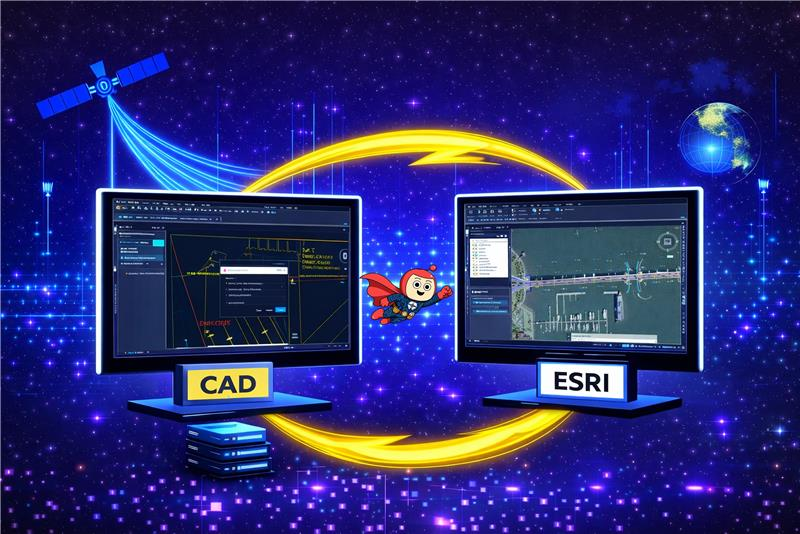
The migration of CAD data into an ESRI-based GIS environment is often perceived as a straightforward data movement exercise. In practice, it is a complex geometry transformation process that exposes fundamental differences between design-oriented CAD systems and rule-driven GIS platforms. Many migration initiatives underestimate this complexity, assuming that visually correct CAD drawings will translate seamlessly into GIS feature classes. This assumption frequently leads to failed inserts, invalid geometries, publishing errors, and long-term data quality issues that surface well after the migration is considered complete.
The most significant challenges in CAD-to-ESRI migration rarely stem from data volume or attribute mapping. Instead, they arise from geometry incompatibility, differing spatial models, and strict validation rules enforced by GIS systems. This write-up discusses those challenges through real migration experiences, focusing on geometry behaviour, compatibility constraints, and best practices for producing stable, GIS-ready datasets.
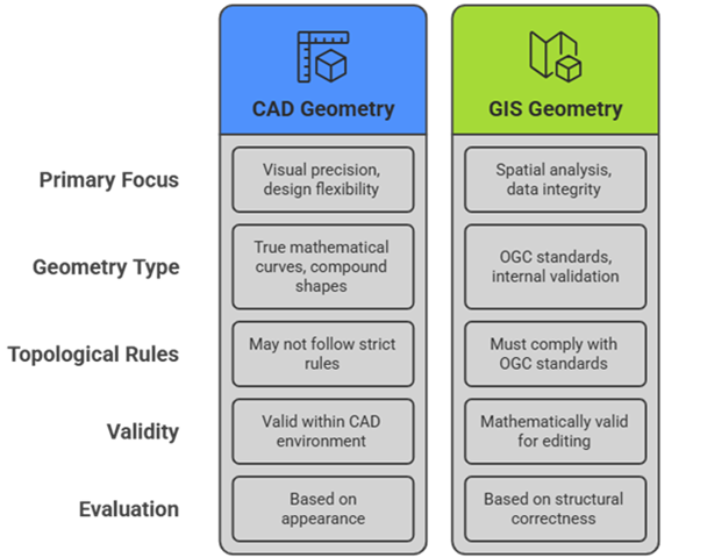
CAD systems are designed for engineering and drafting workflows, where visual precision and design flexibility are the primary focus. As a result, CAD geometries often use true mathematical curves, compound shapes, and free-form constructions that priorities how features look and measure. These geometries may not follow strict topological rules such as closed rings or non-self-intersections, yet they remain valid within a CAD environment.
In contrast, ESRI GIS platforms are built for spatial analysis, data integrity, and interoperability. Geometry stored in GIS feature classes must comply with OGC standards and internal validation rules. Polygons must be closed and non-self-intersecting; lines must be linearized, and all geometries must be mathematically valid to support editing, indexing, and publishing.
This difference explains why CAD data that appears visually correct can fail during GIS ingestion. GIS systems evaluate geometry based on structural correctness rather than appearance, making geometry preparation a critical step in any CAD-to-GIS migration.
One of the earliest challenges in CAD-to-ESRI migration is the presence of geometry types that are valid in CAD systems but not directly supported in standard ESRI feature classes. In real-world datasets, CAD drawings frequently contain advanced curve-based and compound geometries such as: Circular String, Compound Curve, Multi Curve, Curve Polygon, Geometry Collection While these geometries appear correct visually, they often fail during insertion into enterprise geodatabases or cause issues later during service publishing. In some cases, features are skipped silently or partially migrated, making the problem difficult to detect early. The presence of these geometry types highlights a key reality: CAD-to-GIS migration cannot be treated as a direct data load. Geometry transformation is a necessary and unavoidable step.

Another frequent source of migration issues is missing or ambiguous spatial reference information. Many CAD drawings rely on assumed local origins or undocumented coordinate systems. This often results in data appearing correct in isolation but completely misaligned when overlaid with other GIS layers. Precision-related issues may also arise when CAD drawings use very large coordinate values or when rounding occurs during geometry transformation, introducing subtle distortions that can break topology or validation rules. For this reason, spatial reference is treated as a core data attribute early in the migration process.
Migration success is often measured by comparing record counts between source and target datasets. While this is a necessary check, it does not guarantee geometry quality or spatial correctness. In practice, reliable validation also considers geometry type distribution, structural validity, and spatial alignment. Visual inspection remains an essential step, especially for curved and complex features where issues may not be obvious in tabular checks. Many projects only uncover problems after publishing or operational use—reinforcing the need for thorough validation before migration is considered complete.
Migrating CAD geometries into an ESRI environment demands transformation, not simple transfer, converting design shapes to analysis-ready spatial data. Risks center on geometry compatibility, validation, and stability—not lost attributes. Systematic fixes enable seamless GIS to use, hiding CAD origins. Organizations facing CAD-to-GIS migration should prioritize geometry early to prevent rework and failures. True success is data stability over mere movement; proactive compatibility ensures systems that work reliably.